A while back I checked the speed on one of my sites and the homepage was taking 15 seconds to load. Not on a bad connection. On a normal one. My PageSpeed score was sitting at 66 out of 100.
If your WordPress site feels slow, you’re not imagining it, and you’re not doing anything wrong. WordPress just has a few things built into how it works that slow it down. The good news is most of them can be improved. So before you do anything drastic, let me walk through what actually makes a WordPress site slow, and what I tried.
I’ll say up front: I still like WordPress, and I fixed the speed on one of my bigger sites without leaving it. So this isn’t a “WordPress is bad” post. It’s just what I learned.
What actually slows a WordPress site down
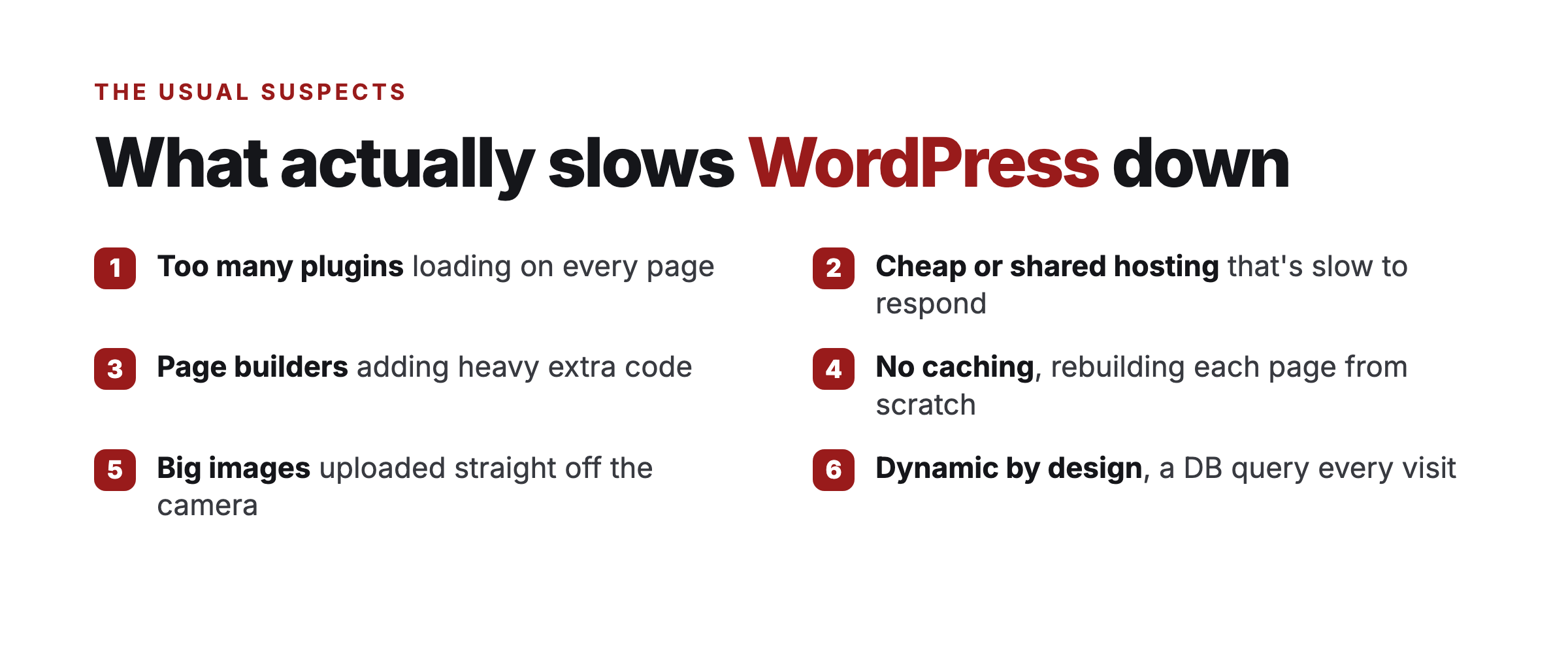
1. Too many plugins. Every plugin you add loads its own code on your pages, even pages that don’t use it. A site running 20 or 30 plugins is carrying a lot of weight on every single load. This is the most common one.
2. Cheap or shared hosting. If your hosting is slow to respond, nothing else matters. The page can’t start loading until the server answers, and on shared hosting you’re sharing that server with a lot of other sites.
3. Page builders. Tools like Elementor make building easy, but they add a ton of extra code to every page. That convenience has a real speed cost.
4. No caching. WordPress builds each page fresh from the database every time someone visits. Without caching, your server is doing that work over and over for no reason.
5. Big images. Uploading photos straight off your phone or camera without resizing them is a classic one. A single huge image can tank a page.
6. It’s dynamic by design. This is the one you can’t fully fix. WordPress is a PHP application running a database query on every page load. That’s just how it works. You can make it faster, but you can’t make it not do that.
What I tried first
I didn’t want to move off WordPress, so I tried to fix it properly first. On my membership site, I did pretty much everything:
- Moved to better managed hosting (I use Cloudways)
- Added a caching plugin
- Put a CDN in front of it
- Optimized the images
- Cut the plugins down to the ones I actually needed
- Wrote SOPs so my team kept it clean
And it worked. The site went from slow and crashing to far better than it used to be. Not perfect, but solid. So if you’re willing to put the work in, you can get a WordPress site to a good place. I’m proof of that.
Where the ceiling is
Here’s the honest part. Even after all that, there’s a limit. WordPress is still building every page from a database on every visit. You can cache around it, you can throw better hosting at it, but you’re managing the problem, not removing it. And you’re now paying for hosting, plugins, and a CDN, plus the time to keep it all running.
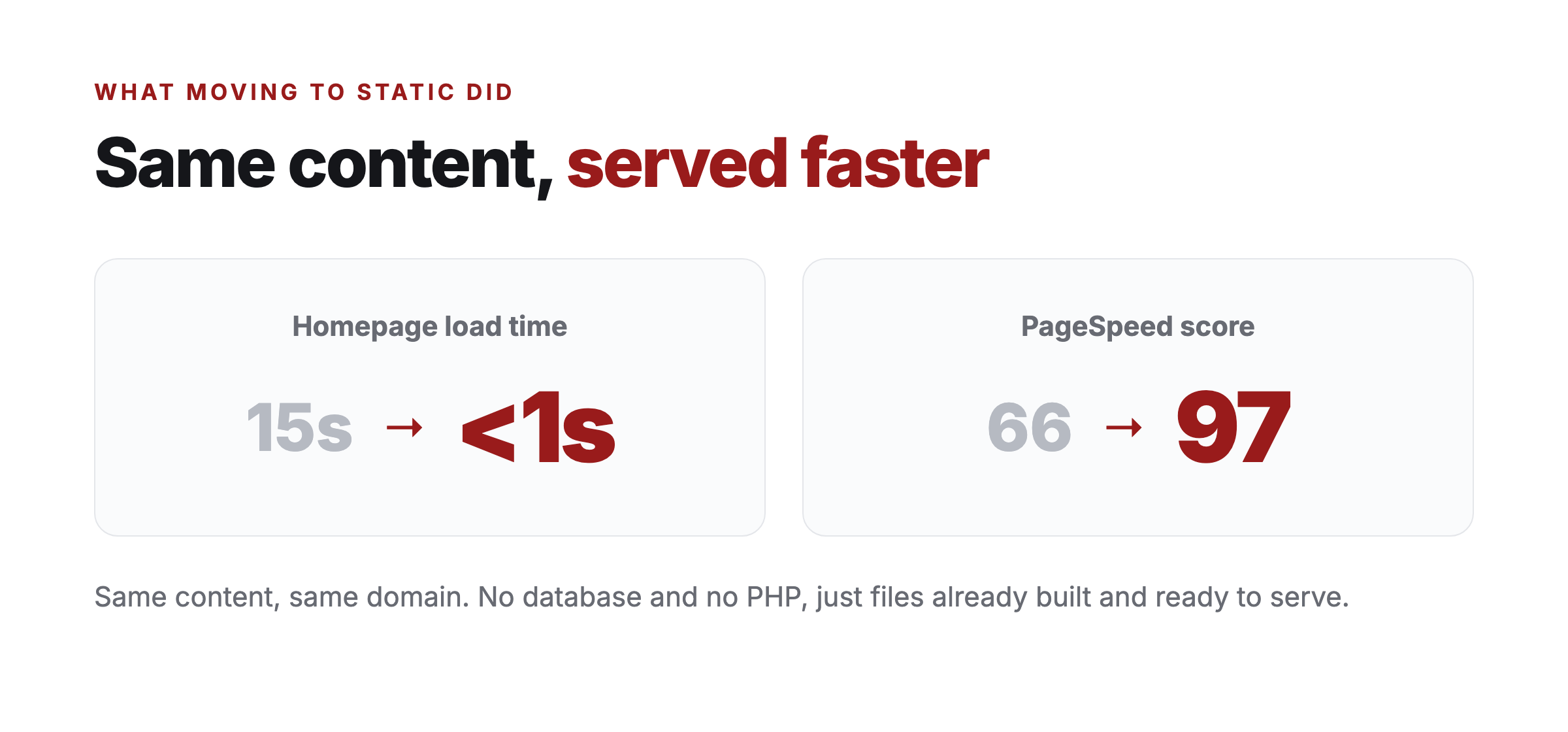
That’s the point where I started looking at moving the site to a static setup instead, where there’s no database and no PHP, just files that are already built and ready to serve. When I did that on one of my smaller sites, the same homepage that took 15 seconds dropped to under 1 second, and the PageSpeed score went from 66 to 97. Same content. Same domain. Just a different way of serving it.
I wrote about that whole move in the agentic website conversion experiment, and if you do decide to move, here’s the checklist I used so I didn’t lose any traffic.
Common questions
How do I speed up a slow WordPress site? Start with the cheap stuff: cut the plugins you don’t use, move to decent hosting, add a caching plugin, and resize your images. That fixes most slow sites without anything drastic.
What are Core Web Vitals, and do they matter? They’re Google’s measures of how fast and stable a page feels to load, things like how quickly the main content shows up and whether the layout jumps around. Google uses Core Web Vitals as a ranking signal, so yes, they matter, and a faster site usually scores better on them.
Is it the hosting or the plugins slowing my site down? Usually both. Cheap hosting sets a low ceiling no amount of optimizing gets you past, and every extra plugin piles more weight on each page. Fix the hosting first, then trim the plugins.
Should I move off WordPress just to make it faster? Only after you’ve tried the basics. If you’ve done all of it and you’re still fighting it, a static setup gives the biggest jump, the same homepage went from 15 seconds to under 1 second when I moved it.
So what should you do
If your WordPress site is slow, start with the simple stuff: cut unused plugins, get decent hosting, add caching, and fix your images. For a lot of sites, that’s enough, and it’s a lot less hassle than moving.
If you’ve done all that and you’re still fighting it, or you just want the site to be fast without constantly tending to it, that’s when it’s worth looking at a static setup. It’s a personal call. You can always test it on a smaller site first and see how it feels.
What’s slowing your site down the most, do you think? The plugins, the hosting, or something else? Let me know.